gadmintools – GTK+ server administration tools.Gadmintools consists of several easy to use GTK+ server
administration tools for the following servers:
* gbindadmin – ISC BIND DNS server
* gdhcpd – ISC DHCPD server
* gproftpd – Proftpd FTP server
* gsambad – Samba SMB server
Install server administration tools in Debian
#apt-get install gadmintools
This will install all the required packages
gbindadmin – ISC BIND DNS server
GBIND admin is an easy to use GTK+ administration tool for ISC BIND. It handles multiple domains and can switch between master and slave domains. It can change the domain name for entire domains and subdomains, including domain resources such as MX, A, AAAA, CNAME, and NS. It can also generate and set up secret keys for rndc, construct a chroot environment, and handle DDNS operations. Gbind admin and Gdhcpd is a great combination for setting up DDNS domains.
If you want to open gbindadmin Goto Applications—>Debian—>Apps—>System—>GBIN Admin

Once it opens you should see the following screen

Now you can configure your bind server
gdhcpd – ISC DHCPD server
GDHCPD is an easy to use GTK+ administration tool for ISC DHCPD. It handles dynamic scopes, hosts,ranges and settings.Gdhcpd and Gbind admin is a great combination for setting up DDNS domains.
If you want to open gbindadmin Goto Applications—>Debian—>Apps—>System—>Gdhcpd

Once it opens you should see the following screen

Now you can configure your DHCP server
gproftpd – Proftpd FTP server
GPROFTPD is an easy to use GTK+ administration tool for the proftpd standalone server. GProftpd and Proftpd gives admins access to virtual hosting, 8 layers of security including chrooted users and encrypted transfers on both the data and/or control channels. It is ideal for both standard ftp serving and webhotels.
If you want to open gbindadmin Goto Applications—>Debian—>Apps—>System—>Gproftpd

Once it opens you should see the following screen
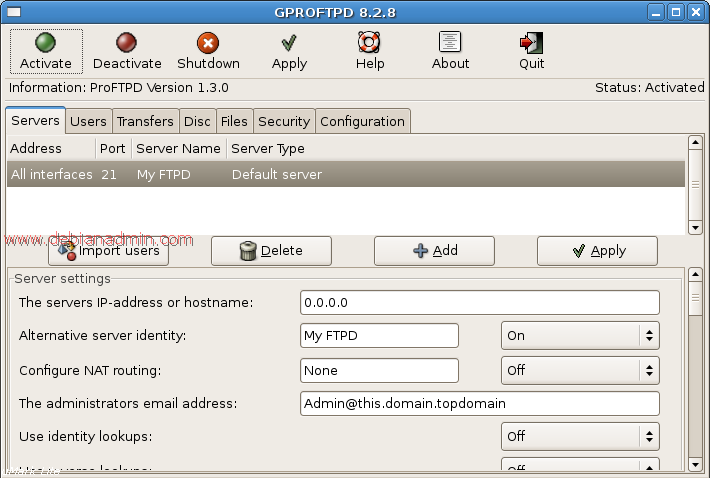
Now you can configure your proftpd server
gsambad – Samba SMB server
GSAMBAD is an easy to use GTK+ frontend for the SAMBA file and print server. It features multiple local and remote user and group imports, on the fly share creation and user handling, including randomization of usernames and passwords. PDF printing to shared/private directories or email. It also features three levels of domain management strategies.
If you want to open gbindadmin Goto Applications—>Debian—>Apps—>System—>Gsambad
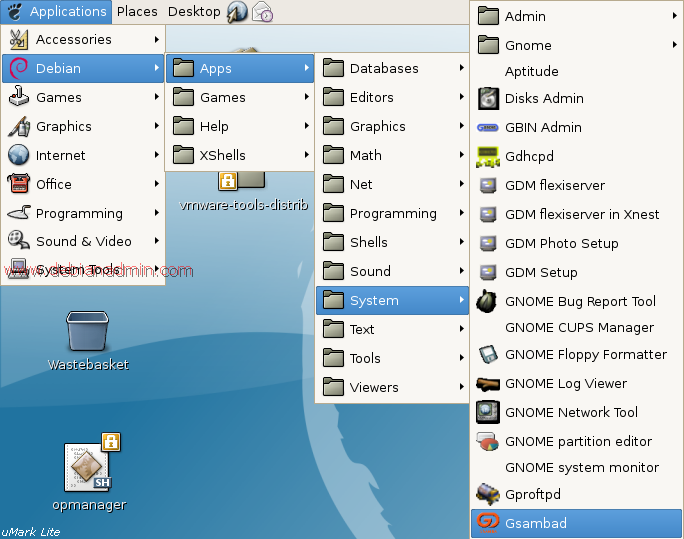
Once it opens you should see the following screen
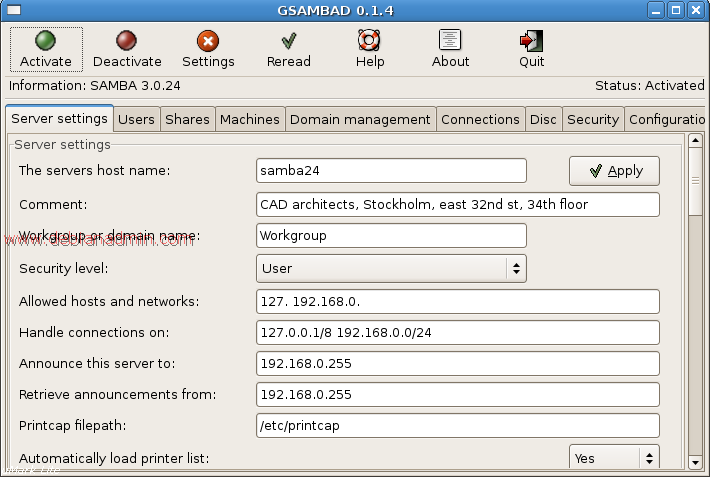
Now you can configure your Samba server
So does this app a good choice? bug free?