iotop does for I/O usage what top does for CPU usage. It watches I/O usage information output by the Linux kernel (requires 2.6.20 or later) and displays a table of current I/O usage by processes on the system. Handy for answering the question “Why is my disk churning so much?”.
Install iotop in debian
#apt-get install iotop
This will complete the installation.
Using iotop
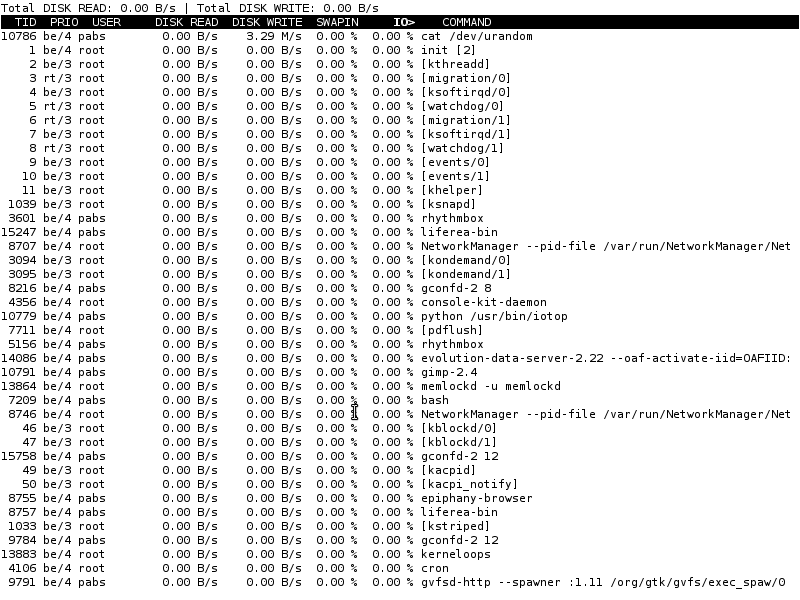
type iotop in your terminal and you will get a regularly updated list of processes and the amount of I/O they are currently using: reads and writesin bytes per second, and percentage of time spent swapping and waiting for I/O.
iotop
iotop needs the CONFIG_TASK_DELAY_ACCT and CONFIG_TASK_IO_ACCOUNTING options enabled in the kernel; in Debian stock kernels, that’s already the case.
Screenshot
For monitoring IO usage, check nethogs and as well as speedometer
use the -o switch to view only the process actually doing I/O, instead of all the processes.
[code]iotop -o[/code]
great tool to watch the Hd workload, i can recommend htop instead of old plain top
use the -d for delay between iterations , here i will use 3s delay
iotop -o -d 3