Squeeze has been frozen for some time now, and hopefully will be released by the end of the year, and today the Debian team has revealed the name of the next Debian release 7.0: Wheezy.
Continue reading…
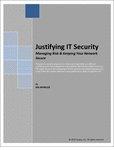
Managing Risk & Keeping Your Network Secure
The goal of a security program is to choose and implement cost effective counter-measures that mitigate the vulnerabilities that will most likely lead to loss.
This white paper discusses the management of Risk and how Vulnerability Management is one of the few counter-measures easily justified by its ability to optimize risk.
Download 3 Java Script Tutorial guides (Free PDF Guides)
Title: The JavaScript Anthology: 101 Essential Tips, Tricks & Hacks – Free 158 Page Preview
Get the most out of this complete question-and-answer book on JavaScript. The JavaScript Anthology: 101 Essential Tips, Tricks & Hacks is a collection of over 100 thoroughly–tested, customizable and elegant solutions that will show you how to add usable and accessible interactivity to your site: from slick drop-down menus, to style sheet switchers, to AJAX applications, and much more.
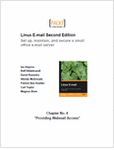
How to set up webmail access using SquirrelMail in Linux Email server (PDF Guide)
Set up, maintain, and secure a small office email server.
Many businesses want to run their email servers on Linux for greater control and flexibility of corporate communications, but getting started can be complicated. The attractiveness of a free-to-use and robust email service running on Linux can be undermined by the apparent technical challenges involved. Some of the complexity arises from the fact that an email server consists of several components that must be installed and configured separately, then integrated together. This book gives you just what you need to know to set up and maintain an email server. Unlike other approaches that deal with one component at a time, this book delivers a step-by-step approach across all the server components, leaving you with a complete working email server for your small business network.
This free sample chapter, Chapter 4: Providing Webmail Access, shows how to set up webmail access using SquirrelMail. This will give users an easy, out-of-office access to their email. Be introduced to the SquirrelMail software package and examine the pros and cons of this and other webmail access solutions. After that, it will follow the installation and configuration of SquirrelMail step by step. Next, it will examine the installation of plugins and include a reference of useful plugins. Finally, it will include some tips on how to secure SquirrelMail.