Webilder delivers stunning wallpapers to your Linux desktop, directly from Flickr and Webshots. You choose what keywords (tags) to watch for, and photos are automatically downloaded to your computer. Webilder can also change the wallpaper every few minutes.
Webilder Features
download flickr photos that match tags (for example: beach,party)
download photos from flickr users of your choice.
download most interesting photos from flickr.
download amazing daily proshots from Webshots (requires Webshots account).
automatically download new photos for you.
change your wallpaper every few minutes.
import webshots collections (wbz or wbc formats).
Install Webilder in Ubuntu
First you need to edit the /etc/apt/sources.list file
sudo gedit /etc/apt/sources.list
and add the following source list which is suitable for you save the file and exit
For Ubuntu Edgy (i386, amd64, powerpc of sparc) User
deb http://debian.websterwood.com/ edgy main
deb-src http://debian.websterwood.com/ edgy main
For Ubuntu Dapper (i386, amd64, powerpc or sparc) Users
deb http://debian.websterwood.com/ dapper main
deb-src http://debian.websterwood.com/ dapper main
Now you need to update the source list using the following command
sudo apt-get update
Install Webilder using the following command
If you are using GNOME Desktop use the following command
sudo apt-get install webilder webilder-gnome
If you are using KDE Desktop use the following command
sudo apt-get install webilder webilder-kde
This will complete the installation process
Adding Webilder to your Desktop Panel
For GNOME Users
Right-click on the GNOME panel you should see the following screen here you need to choose “Add to Panel”

Once you choose Add to Panel option you should see the following screen here under utility you need select “Webilder Webshots Applet” and click on add

Now you should see one small camera icon marked with Red added to your desktop panel

For KDE Users
From the graphics menu, start KWebilder. Go to the preferences Window, to the Advanced Tab, and select KDE wallpapers settings
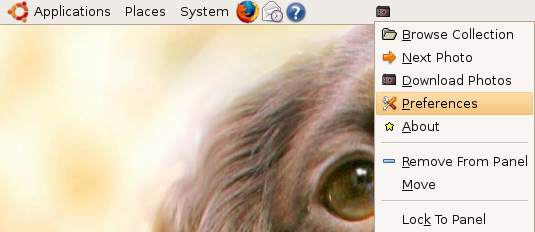
Now you need to download photos from flicker for this right click on Webilder on your desktop panel and select “Download Photos” option you can see this in the following screen

Downloading Photos are in progress
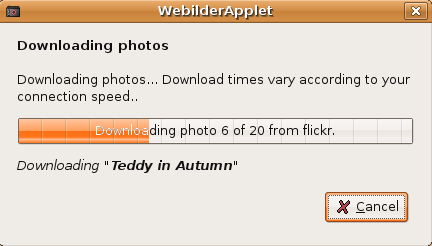
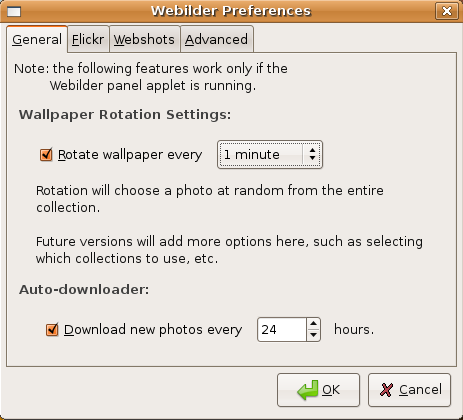
Once dowload finished your desktop will start refreshing wallpapers by default 5 min if you want to change this option you need to right click on Webilder on your desktop panel and select “Preferences”
You should see the following option here you can select what time your wallpaper need to be refresh or photos download option
Some of the Flicker Wallpapers from my Ubuntu Desktop
[thumb:763:c:l=p]
[thumb:764:c:l=p]
[thumb:765:c:l=p]
[thumb:760:c:l=p]
[thumb:761:c:l=p]
Hi,
any info on Dapper packages? Those on the Websterwood do not install due to dependency problems.
Reading package lists… Done
Building dependency tree
Reading state information… Done
E: Couldn’t find package webilder
@daisy: you have to follow all of the steps for it to work. You just haven’t added the repository yet, or if you have, you haven’t said “sudo aptitude update” then do the install command.
Good Luck,
Megaqwerty
Can you not provide links to the .deb files for manual installation? Some people might prefer this to going via apt-get.
Dude
Require a version for feisty for the same
Really lookin forward to it
Dhruv